


|
Name |
MP3 Converter |
|---|---|
|
Google Play Link |
GET IT ON
Google Play
|
|
Category |
Music & Audio |
|
Developer |
FunDevs LLC |
| Last version | 2.8.0 |
|
Updated |
|
|
Compatible with |
Android 6.0+ |
Introduction to MP3 Converter APK
MP3 Converter is a mobile app, not a game. It works as a utility tool for Android users who need a quick way to turn video or audio files into MP3 format. Its main job is simple: take media from your phone, convert it, trim it, and save it in a form that is easier to play, share, or use as a ringtone.
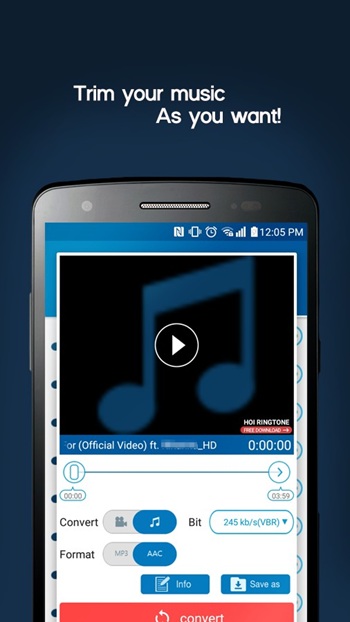
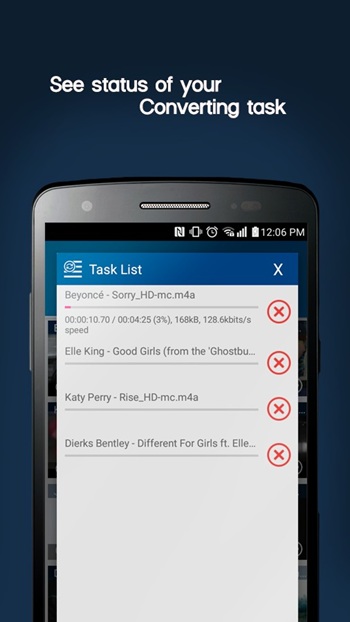
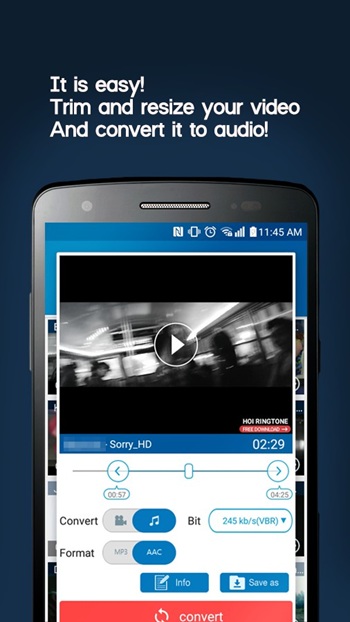
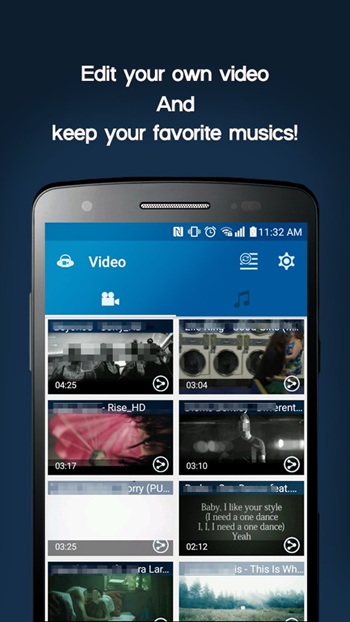
The app is mainly used for converting video files into audio tracks. That makes it handy when you want the sound from a clip without keeping the full video file. It also supports cutting audio, resizing media, and creating ringtone-ready clips. For people who save music, voice clips, or audio from short videos, that saves time and storage in one go.
One of its strongest points is convenience. The app supports common video formats such as MP4, 3GP, WEBM, WMV, and FLV, along with audio formats like MP3, AAC, and OGG. That wide format support means most users can work with files already sitting on their phones instead of hunting for extra tools. The interface is built around fast actions, so the process feels practical rather than fussy.
Another useful feature is audio editing after conversion. Users can trim a section they want, adjust the file for ringtone use, and even edit MP3 metadata. That includes details like track information and album art, which is helpful for anyone who likes to keep their music library neat. Small feature, big peace of mind.
The biggest advantage of MP3 Converter APK is speed and simplicity. It suits users who want a direct tool without a steep learning curve or a screen full of advanced audio controls they may never touch. It can be useful for turning lecture clips into audio, saving songs from personal video files, or making custom ringtones in a few taps. For everyday use, that kind of shortcut feels pretty nice.
There are a few limits to keep in mind. This app is focused on conversion and light editing, so it may feel too basic for users who want deep sound mixing, multi-track editing, or studio-style controls. File quality also depends on the original media source, so a weak video file will not magically become great audio. Some users may also prefer broader format support than what is listed.
MP3 Converter is best for Android users who want a fast media utility for casual, practical tasks. It fits students saving spoken content, music fans trimming clips, and anyone making ringtones without extra hassle. If your goal is quick audio conversion with a few editing tools on the side, this app makes sense. If you want pro-level audio work, it may feel a bit too lightweight.
FAQs MP3 Converter
What is MP3 Converter APK used for?
+
MP3 Converter APK is used to turn video or audio files into MP3, trim clips, resize media, and create custom ringtones on Android.
Is MP3 Converter APK a game or an app?
+
MP3 Converter APK is an app. It is a utility tool made for media conversion and audio editing, not a game.
Can MP3 Converter APK make ringtones from videos?
+
Yes. The app can pull audio from supported video files, trim the part you want, and save it as a ringtone-ready clip.
Which file formats does MP3 Converter APK support?
+
It supports video formats such as MP4, 3GP, WEBM, WMV, and FLV, plus audio formats like MP3, AAC, and OGG.
Who should use MP3 Converter APK?
+
It is a good fit for Android users who want a quick way to save audio from videos, cut music clips, or organize MP3 files without complex editing tools.
Discover More Interesting Apps
-
 Mod
Mod
Spotify Premium
v9.1.94.1929
146.67 Mb
Updated -
Mod
Song Finder
v1.4.4
20.52 Mb
Updated -
Suno
v1.94.0
53.06 Mb
Updated -
Mod
ElevenLabs
v1.3.4
34.00 Mb
Updated -
Mod
Edjing Mix
v7.40.00
107.35 Mb
Updated -
Jango
v6.8.10
22.00 Mb
Updated -
Mod
Lark Player
v2027.1.5
31.10 Mb
Updated -
Mod
Qobuz
v2.0.1.1
15.40 Mb
Updated -
TIDAL
v2.215.0
118.99 Mb
Updated -
Mod
JioSaavn Pro
v10.11
45.41 Mb
Updated










Share Your Thoughts